How to Prepare Artwork Files for Custom Sign Manufacturing
Learn how to prepare vector files, Pantone color details, and converted fonts for custom sign manufacturing with River Stone.
2026/09/23
Reading volume: 4
News Details
Clear artwork files help a custom sign project move faster, look better, and avoid costly mistakes. For B2B buyers, signage companies, architects, designers, and brand teams, a correct file can make the full process smoother from quote to production.
At River Stone, custom signs are made to match each client’s design, size, material, finish, and mounting needs. This includes stainless steel letters, non-illuminated signs, freestanding desktop signs, plaques, and other custom metal signage.
Before production starts, the artwork must be easy to read, measure, and convert into manufacturing data. Therefore, knowing the basic signage artwork file requirements is very important.
Why Artwork Files Matter in Sign Manufacturing
A sign is not just printed from an image. In many projects, the file guides cutting, bending, welding, polishing, painting, coating, drilling, and installation.
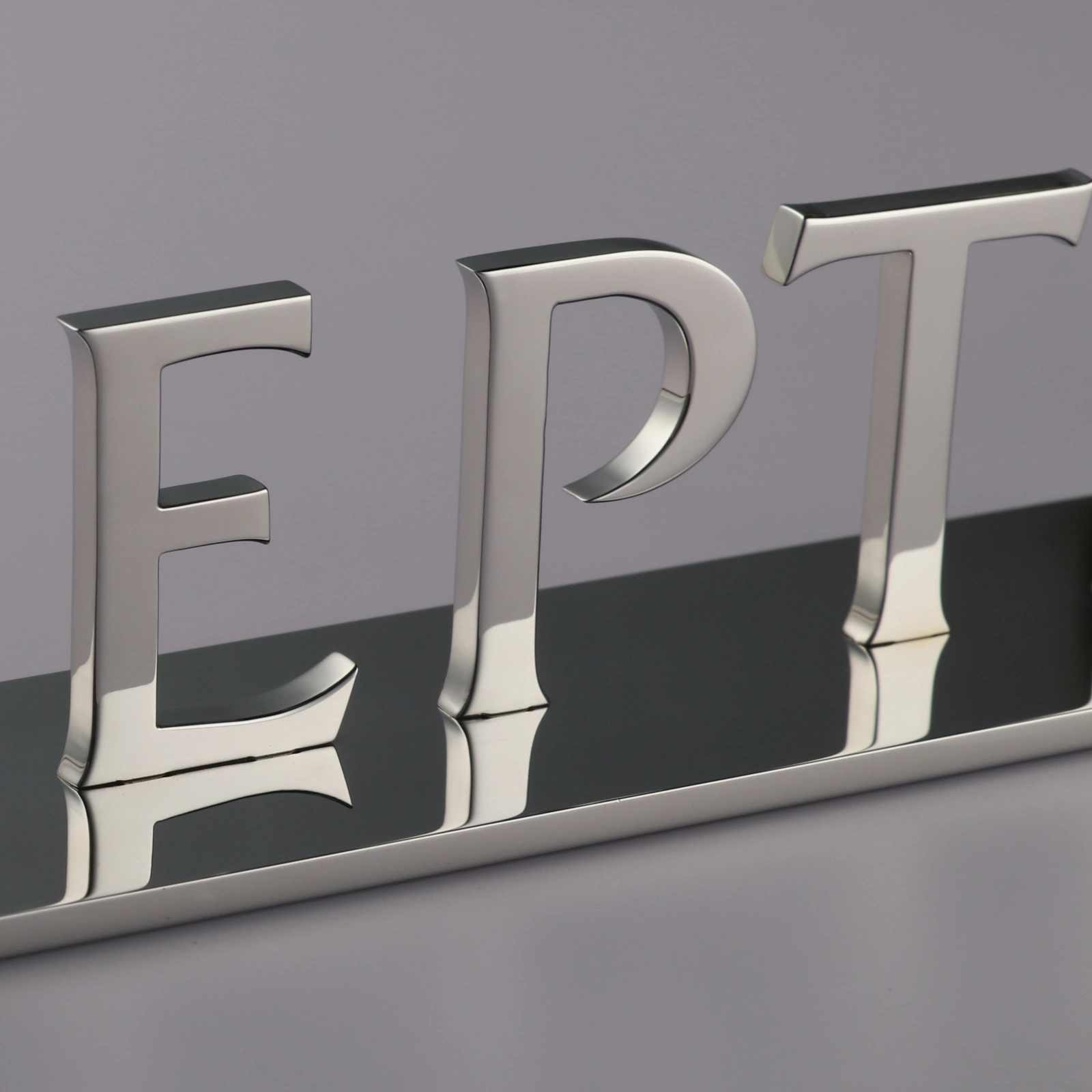
For example, custom freestanding stainless steel letters may need CNC machining, mirror polishing, base plate welding, and exact font restoration. In this case, the production team needs clean digital artwork to keep every curve, edge, and letter shape accurate.
In addition, non-illuminated signs often include 3D letters, metal plates, painted surfaces, brushed finishes, PVD coating, or hidden mounting. Each detail must be clear before manufacturing begins.
A complete artwork file helps reduce questions, shorten lead time, and improve final quality.
Start With a Vector File
A vector file is the best format for custom sign manufacturing. Unlike a low-resolution image, a vector file can be scaled up or down without losing quality.
Common vector file formats include AI, EPS, CDR, SVG, and high-quality PDF. These files allow the factory to check outlines, dimensions, spacing, curves, and cutting paths.
This is especially important for metal letters, acrylic letters, stainless steel logos, and custom plaques. If the artwork is only a JPG or PNG, the edges may become unclear when enlarged. As a result, the final sign may not match the brand artwork.
For the best result, send the original vector file whenever possible.
Convert Fonts Before Sending Files
Fonts can change if the factory does not have the same font installed. Even a small font change can affect the look of a logo, brand name, or letter sign.
To avoid this issue, all fonts should be converted fonts before the file is sent. This means the text is changed into outlines or curves. Once converted, the letter shapes stay fixed and will not be replaced by another font.
This step is very important for custom stainless steel letters and CNC-cut signs. It helps keep stroke width, spacing, serif details, curves, and brand style accurate.
Before converting fonts, keep one editable copy for your own records. Then send the outlined version for production.
Include Pantone Color Details
Color can look different on each screen. It can also shift between printing, painting, powder coating, and PVD coating. Therefore, written color information is needed.
If your project needs an exact brand color, include the Pantone color number. You may also provide RAL, CMYK, RGB, or a physical color sample if needed.
Pantone color details are very useful for painted metal signs, powder coated letters, acrylic signs, and mixed-material signs. They help the production team match the intended color more closely.
However, keep in mind that metal, acrylic, and paint may show color in different ways because each material reflects light differently. For large projects or strict brand standards, a sample can be made before mass production.
Show the Final Size Clearly
Every artwork file should include the final sign size. This may include total width, total height, letter height, thickness, base plate size, and installation spacing.
For freestanding stainless steel letters, the base plate length, width, thickness, and letter position should be clear. For wall-mounted signs, the artwork should show the final layout and spacing on the wall.
If the sign will be installed in a fixed area, also provide the wall size, counter size, or mounting surface size. This helps the sign maker suggest the right scale.
Clear size details help prevent signs from looking too small, too large, or out of balance after installation.
Add Material and Finish Notes
The artwork should also include the required material and finish. For example, you can note stainless steel, aluminum, brass, acrylic, or painted metal.
Then add the finish request, such as mirror polished, brushed stainless steel, brushed gold, black painted, powder coated, satin finish, or PVD coating.
This step is helpful because the same logo can look very different with different finishes. A mirror polished stainless steel sign feels bright and premium. A brushed finish feels softer and more modern. A painted finish offers better color control.
River Stone’s non-illuminated signscan be customized by material, thickness, color, finish, and mounting method, so clear notes help the team quote and produce the right product.
Mark the Mounting Method
Mounting is part of the design. It affects structure, safety, and installation.
Common mounting methods include hidden studs, spacer mounts, adhesive backing, screw fixing, base plates, hanging systems, and freestanding bases. For custom freestanding stainless steel letters, the sign may come with an integrated metal base plate, so no wall drilling is needed.
If the sign is wall mounted, show the position of studs, holes, or spacers when possible. Also, note whether the wall is drywall, concrete, wood, glass, stone, or metal.
This information helps the production team prepare the right hardware and installation template.
Provide a Mockup or Placement Photo
A clean vector file is needed for production, but a mockup is also useful. A mockup shows how the sign should look in the real space.
You can send a wall photo, shopfront photo, lobby rendering, counter photo, or elevation drawing. Then place the logo or letters on the image to show the desired position.
This helps the factory understand scale, viewing distance, background color, lighting, and site style. It also helps avoid confusion when several signs are included in one project.
For hotels, retail chains, office spaces, and commercial buildings, a placement mockup can make approval much easier.
Check Line Thickness and Small Details
Some artwork details may look good on screen but may be too thin to produce. Very small gaps, sharp points, narrow strokes, and tiny cutouts can become weak or hard to finish.
Before sending the file, check if the smallest details are suitable for the final sign size and material. Metal signs need enough thickness for strength. Painted or polished parts also need enough surface area for a clean finish.
If you are not sure, send the file to the River Stone team for review. The production team can suggest changes while keeping the main design style.
Send One Clear Production File
For a smooth process, send one clear production file and one reference mockup. Avoid sending many mixed versions without notes, as this can cause mistakes.
A good file package may include:
Vector file: AI, EPS, CDR, SVG, or high-quality PDF
Fonts: converted fonts or outlined text
Colors: Pantone color, RAL, or finish notes
Size: final width, height, thickness, and base plate size if needed
Material: stainless steel, aluminum, acrylic, brass, or other material
Finish: brushed, mirror polished, painted, powder coated, or PVD coating
Mounting: wall mounted, freestanding, stud mounted, or spacer mounted
Reference: photo, mockup, rendering, or installation drawing
Common File Problems to Avoid
Avoid sending only low-resolution images. They may look blurry when enlarged and may not show accurate edges.
Avoid leaving fonts editable. If fonts are missing, the design may change.
Avoid using unclear color names such as “gold,” “silver,” or “red” without a Pantone color, RAL code, or sample. These colors can vary a lot.
Avoid missing dimensions. Without size details, the quote and production plan may be delayed.
Also, avoid unclear layers, hidden objects, and old design versions inside the same file. A clean file is easier to check and safer to produce.
FAQ
What is the best file format for custom sign manufacturing?
The best format is a vector file, such as AI, EPS, CDR, SVG, or a high-quality PDF. These formats keep lines, curves, and letter shapes clear at any size. They also help the production team prepare cutting, polishing, painting, and mounting details more accurately.
Can I send a JPG or PNG file for a custom sign?
Yes, you can send a JPG or PNG as a reference. However, it is not ideal as the main production file. A low-resolution image may become blurry when enlarged. For accurate custom signs, a vector file is strongly recommended.
Why do fonts need to be converted before production?
Fonts should be converted fonts because font files may not open the same way on another computer. Once the text is converted to outlines or curves, the letter shapes stay fixed. This helps protect the brand style and avoids unwanted font changes.
What color information should I provide?
If color matching is important, provide a Pantone color number, RAL code, CMYK value, or physical color sample. Pantone color details are especially useful for painted letters, powder coated signs, and branded signage projects.
Do I need to provide the final sign size?
Yes. The final width, height, thickness, and installation spacing should be included. If the sign has a base plate, holes, studs, or spacers, those details should also be shown. Clear size information helps avoid production and installation errors.
Can River Stone help check my artwork file?
Yes. River Stone can review your artwork file before production and suggest changes if some lines, gaps, or small details are hard to manufacture. This helps keep the design close to the original while making it suitable for real sign production.
Why Work With River Stone?
River Stone manufactures custom signage for commercial and architectural projects. The team supports custom stainless steel letters, freestanding signs, wall-mounted letters, plaques, non-illuminated signs, and other brand display products.
Each project can be made to match the client’s vector file, size, font, material, finish, and mounting method. Options include 304 or 316 stainless steel, mirror polished surfaces, brushed finishes, PVD coating, painted finishes, and custom base plates.
For signage companies, design agencies, contractors, and brand owners, this makes it easier to turn artwork into finished signs with a clear production path.
Final Thoughts
Good artwork saves time and improves sign quality. Start with a clean vector file. Use converted fonts. Add Pantone color details when color matching matters. Also, include size, material, finish, mounting, and mockup information.
When your file follows the right signage artwork file requirements, the manufacturing team can quote faster, produce more accurately, and deliver a sign that matches your design intent.
Share to:


